
Free · no install · no account
Open MVR files in your browser
Drop a .mvr export from GrandMA3, Vectorworks, Capture or WYSIWYG and see the rig (fixtures, trusses, layers and patch) in a few seconds. Nothing to install, no licence, and the file never leaves your computer.
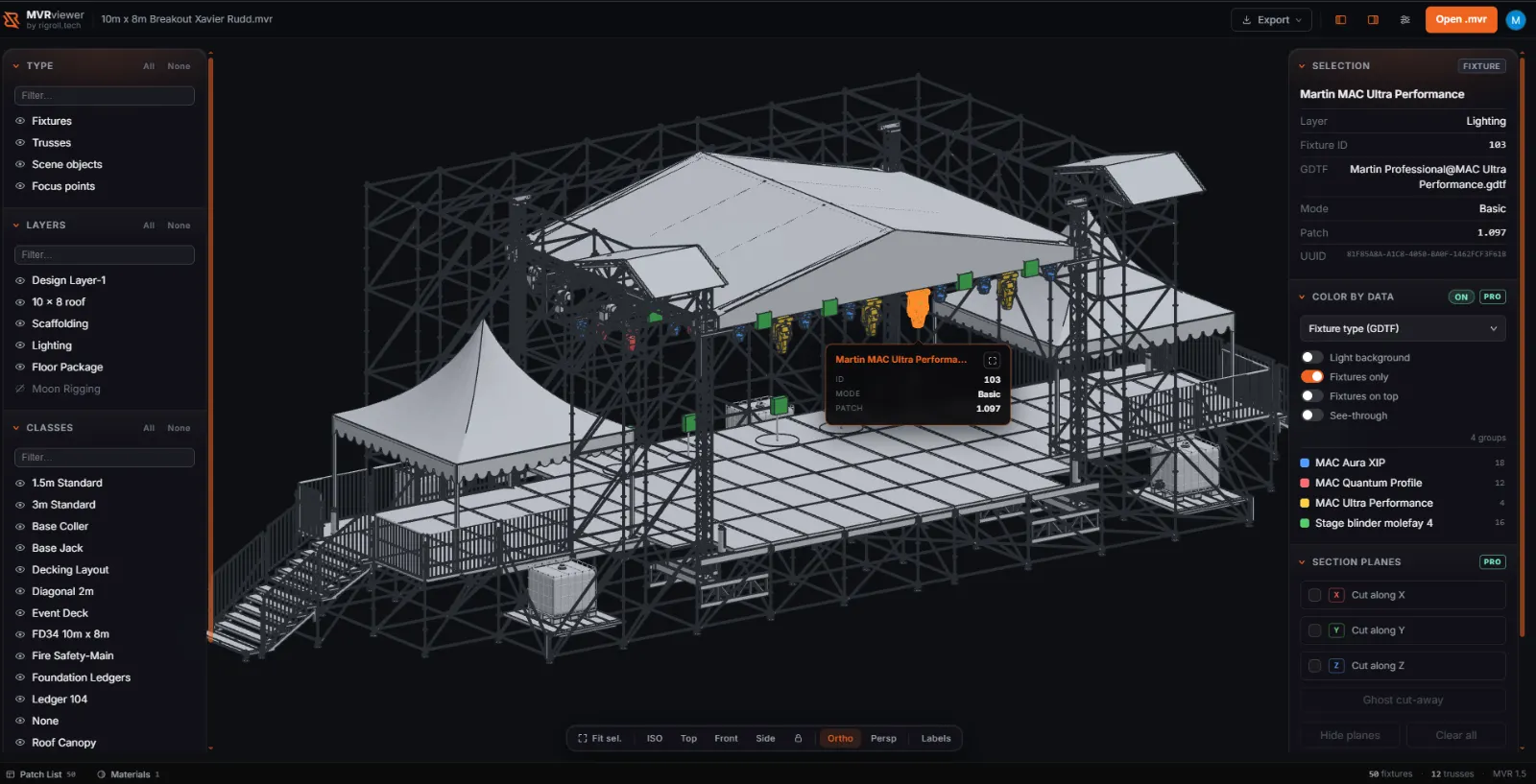
.mvr: roof, scaffolding, decking and
50 fixtures, with every layer and class listed on the left.What an MVR file is
MVR, short for My Virtual Rig, is the open exchange format the live-event industry uses to
move a show between tools. One .mvr file is a zip archive containing a scene description
in XML plus the GDTF fixture definitions it references. The scene carries the whole rig: layers,
fixtures with their universe and address, trusses, scenic objects, groups, symbols and positions.
Each referenced GDTF carries that fixture's own 3D geometry, so an MVR is a complete, self-contained
picture of the rig rather than a drawing that depends on your local library being in sync.
That makes it the natural handover format between design, programming and production. It also makes it awkward to open. Reading one normally means owning a console tool or a previsualiser. This viewer exists to close that gap.
What this viewer does
- Parses the full MVR data model: layers, fixtures, trusses, scene objects, groups, symbols, classes, positions and patch data, straight from the archive.
- Renders real fixture geometry: the embedded GDTF models are extracted and drawn rather than approximated, with instancing so a thousand-fixture rig stays smooth.
- Layer tree with visibility toggles: isolate a truss, a position or a single layer to read a busy plot.
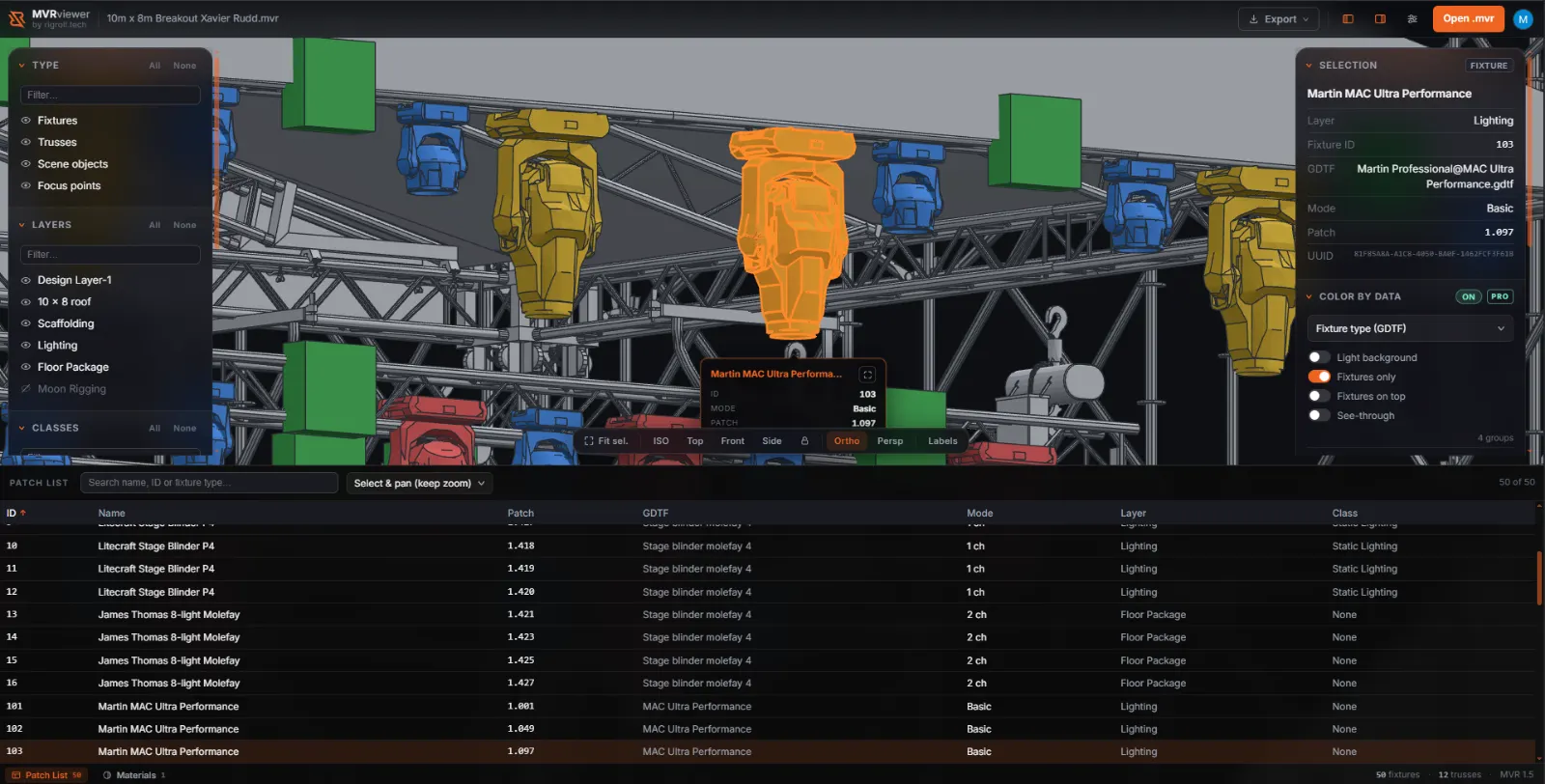
- Full patch list: every fixture with its type, universe and address, sortable and searchable, click-to-select and frame in 3D.
- Orbit, orthographic plan and section views, with clipping planes and a print-scale badge for reading distances off a plot.
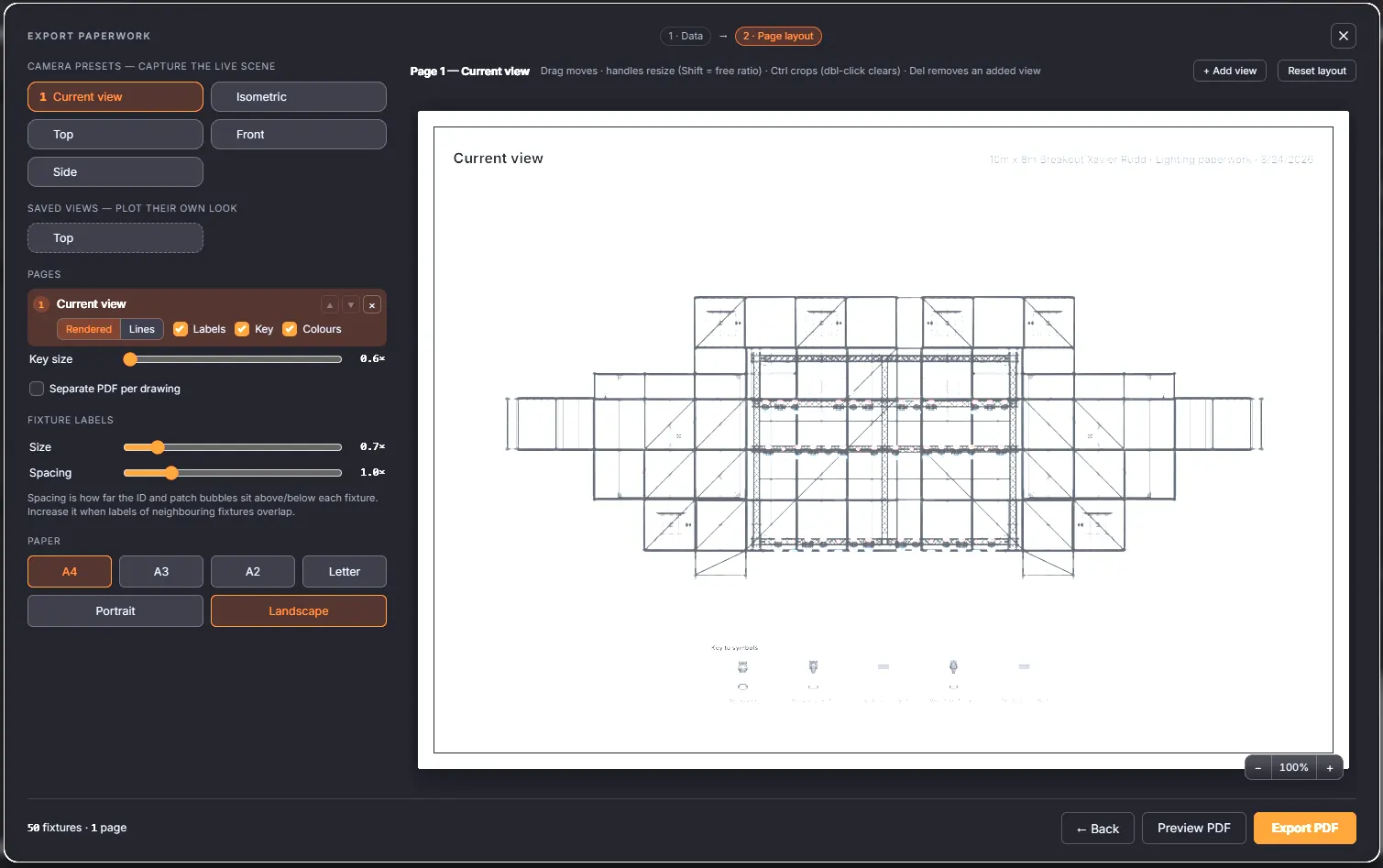
- PDF plot export: save the views you have set up as a paper plot (sign-in required).
Paperwork when you are on the move
The export wizard turns the view on screen into a printable plot: pick camera presets or your own saved views, drop them on A4, A3 or A2 paper, size the fixture ID and patch bubbles, add a key to symbols, and export a PDF. The page layout is drag-and-drop, so a plate can be moved, resized or cropped before it prints.
These tools are deliberately limited. They are not a replacement for the paperwork you would produce in Vectorworks. There is no schedule templating, no title-block editor and no drawing tools. What they are for is the situation every touring tech knows: you are away from your workstation, someone needs a plot, and all you have is the MVR. In a couple of minutes you can hand over something accurate and readable.
Your file stays in your browser
Everything happens client-side. The zip is unpacked in the page, the XML is parsed there too and the geometry is handed straight to WebGL. There is no upload step and no server that could hold your file, because there is no backend behind this viewer at all. You can open a confidential show file on a client's laptop without it going anywhere.
Formats and limitations
Reads .mvr archives and the GDTF files inside them, including .glb and legacy .3ds meshes as well as GDTF primitive shapes. Missing or unresolvable
assets fall back to a correctly sized placeholder plus a warning rather than a failed load, because
exporters vary and real files are messy.
It is deliberately a geometry and patch viewer. There is no beam visualisation, no photometric data, no DMX playback and no editing. You cannot move a fixture and save the file back. If you need previsualisation, use a previsualiser; if you need to read, check or share what is inside an MVR, this is faster than opening the software that made it.
Need this at a bigger scale?
This viewer is a free tool for reading an MVR quickly. When a project needs more, we build it. RigRoll.Tech does web-based 3D visualization for events: digital twins of venues and sites, site plans anyone can open in a browser, and commercial experiences such as 3D festival maps made for thousands of attendees. Heavier models, custom interaction and the performance to carry a public audience, delivered as a link with nothing to install.
Book a demo at RigRoll.TechQuestions
What is an MVR file?
MVR (My Virtual Rig) is an open exchange format for live-event rigs. A single .mvr file is a zip archive holding the scene description (layers, fixtures, trusses, scenic objects, positions and patch data) plus the GDTF fixture definitions the scene references, each with its own 3D geometry. It is how lighting, video and rigging designers move a show between different tools without rebuilding it.
Which programs export MVR files?
GrandMA3, Vectorworks Spotlight, Capture, WYSIWYG, Depence and BlenderDMX all read or write MVR, and most consoles and previsualisation tools have added support. If a colleague sent you a .mvr and you do not own the software that made it, this viewer will open it.
Does my file get uploaded to a server?
No. The zip is unpacked, the XML parsed and the geometry rendered entirely in your browser. The file is never transmitted and there is no storage behind this site.
Do I need an account?
Not to view. Opening a file, orbiting the scene, browsing layers and reading patch data are free and need no sign-in. Exporting a PDF plot asks you to sign in with Google, because the export is tied to an account.
Does it show beams, gobos or DMX?
No. This is a geometry viewer: it renders what the rig physically looks like and what is patched where. Beam cones, photometrics and live DMX simulation are out of scope. Use a previsualiser for those.
What if a fixture is missing its 3D model?
Nothing breaks. When a GDTF definition or a mesh inside it cannot be resolved, the viewer draws a placeholder box at the correct position and size and notes it in the warnings panel, so the rest of the scene still loads.
Open a file
Free, instant, and nothing to install.
Open the viewer